Au contraire! I, like you, thought I didn’t need a job tracking system. When you are first starting out it is easy to keep track of the jobs because you may only have one or two. You may not think you need a job tracking system right now, but once things get busy and you completely forget about a job you agreed to take when you were stressed out with another job and/or forgot to write it down somewhere, you will definitely implement one! I’ve been there and I know of what I speak. I have forgotten two jobs in the thirteen years I have been doing this, and both times I was absolutely mortified. Luckily I had good relationships with the clients and was able to save our relationships. The first time I offered a substantial discount and busted my rear end to get the file done as soon as possible. The second time they decided to do it in-house, and the situation involved a lot of groveling and apologizing on my part… I’m still working with both clients – and the last job I forgot was back in November 2006.
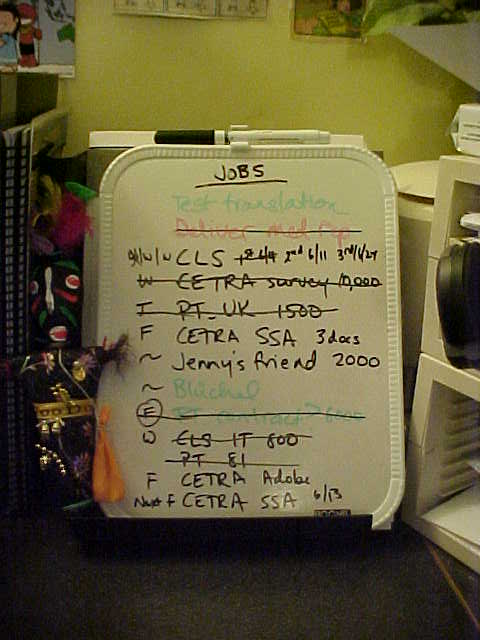
There are numerous systems translators use to track their jobs. As you can see, I use the old-fashioned, yet oh so handy, dry erase board. It’s a tried and true method to track jobs and note deadlines and estimated word counts, and it gives you the added satisfaction of crossing a job off once you have finished the job and sent the invoice (the same day you deliver the job – or at most the next day. Don’t put it off or you’ll forget!!!).
As I mentioned before, one of my German-English colleagues uses Post-It notes on her monitor to track her jobs. Here are some other options you may not have thought of…
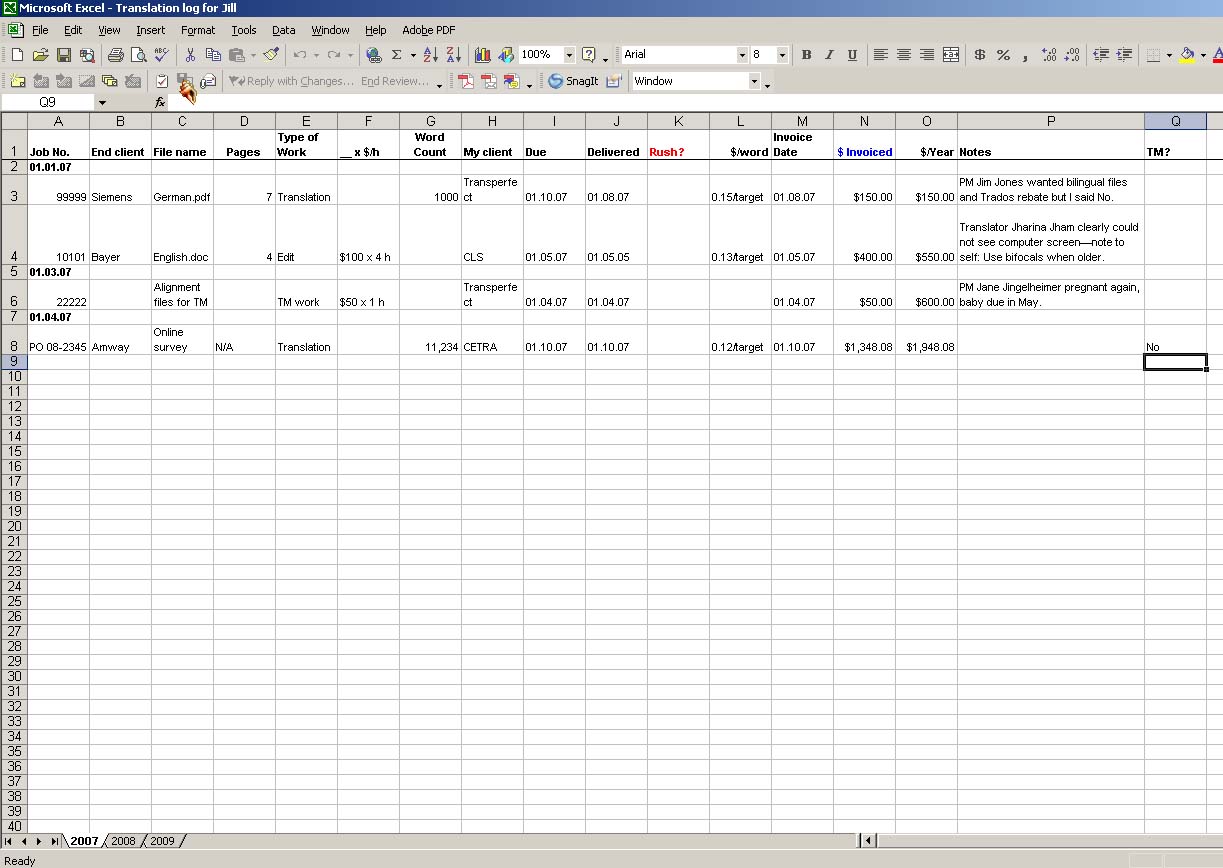 An Excel spreadsheet is an excellent tool to track your jobs and keep a running tally of how many words you have translated in a year. The graphic to the right may be difficult to read, but basically it contains the job number, end client, file name, pages, type of work (editing or translation), _x$h, word count, actual client, due, delivered, rush?, $/word, invoice date, $invoiced, notes, and TM. You can adapt this to fit your needs. You may want to include a column for date paid, late? (or days late), etc. I particularly love that it tracks the words you have translated for that year. You can also use all kinds of formulas to automatically add it up for you if you like that kind of thing. The sky’s the limit!
Another tool that is especially designed for translators is Translation Office 3000. This project management, accounting, marketing, word count, dictionary, etc. tool quickens, simplifies and optimizes a translator’s day-to-day work. You can keep track of your jobs, track your outstanding invoices, note your quotes and easily convert them into a job, handle your client contact information, and count your files based on lines, words, characters, etc. – all with the help of this tool. I particularly like the ability to track contact information and the visual schedule so you can see when a job is overdue. I don’t like the fact that you have to first create a project and then enter a job, but others may find it very helpful. You can download a free 30-day version here.
Some other options that were suggested to me when I forgot the job were:
I use a web calendar as well (more on that another day when I talk about iGoogle), but I haven’t gone the extra step and entered due dates in it. My job board is perfectly sufficient for my needs – provided I am diligent about writing a job down as soon as I accept it. It’s become habit now, which is quite comforting.