Workaround for Trados? February 17, 2024
Posted by Jill (@bonnjill) in Random musings, Tech tips.add a comment

There’s nothing like working for hours on a file in Trados and going to save it as Target – only to get an error message saying “<ErrorMessage>Failed to save target content: Extra tag ‘<bookmarkstart id=”91″ name=”lt_pId098″>’ found after segment ‘869’.</ErrorMessage>” and being unable to save the file. I’m aligning files for a client (beggars can’t be choosers – you do what you have to do to pay the rent) and running them through Trados to identify the new text. I’m sure there is a better way, but I use what I have. It was 4 in the morning, and I was panicking. A little Googling found a Trados forum that gave me a couple of ideas. I updated the translation memories with the file I had (German and all – the heck with the continuity of the TM, I’ll just trash it later) and pretranslated the source file again. It still wouldn’t save. I ran it through again, same problem. At this point I was panicking. Then I got the bright idea to save the file as an RTF and run it through. It worked like a charm because it stripped out the end client’s corrupted tag and formatting that was causing the problem. I let the middleman who is doing the updated translation know. It’s up to him whether to use the RTF file or copy and paste over the original source. So the problem is solved on my end after hours of stress and frustration. I’m putting this out there to see if one of you has a better solution in case someone else runs into this error message. Surely there is a more elegant solution. If you have one, please share it in the comments for future readers. Thanks!
Relief from that feeling of panic… December 27, 2023
Posted by Jill (@bonnjill) in Business practices, Random musings, Tech tips.add a comment

You know the feeling… when you’ve spent a few hours working on a file and you have been saving the file, but you try to open it before delivering and can’t find it anywhere? Well, that happened to me today. I am a pretty savvy computer user. I have a document system that works for me (even though it has gotten a little out of control in the last few years). Unfortunately, I pulled an all-nighter last night to deliver the first file to my client, and my brain isn’t working as effectively as normal today on just 5 hours of sleep (I went to bed at 7:30 a.m.). When I opened Word to check my latest file before delivering it, it was nowhere to be found. I couldn’t find the file in the Most Recent list and a search of my hard drive came up empty. I knew it had to be there (or at least a .tmp file), because I am fanatical about saving my files as I work. I had even used “Save as” and added an addendum to the filename. Queue the panic.
Luckily I have a friend and colleague who I can call up out of the blue in a panic. I knew he would be able to find it for me and find it quickly! And he did. He used his remote computer support tool to open Total Commander and locate the file since I had worked on it within the last hour. He was able to copy the temp file into my designated Documents folder. It turns out I was saving the file back into the Zip file instead of in the folder where I have all of the unzipped files saved.
I know we have all experienced this at least once in our careers. If this happens to you, I cannot recommend the services of Roland Grefer enough! You can reach him at http://www.globalsupportinc.com/. He offers computer support and troubleshooting, Internet security, virus assistance as well as system installation and configuration. He’s also one of our own and is a English <=> German Translator. He is also an excellent editor and proofreader with an eagle eye who does his research to back his suggestions up. So if you are faced with a computer problem you can’t solve, save yourself the grief and reach out to him. He’ll save your bacon quickly and efficiently!
Transferring money with Wise (formerly Transferwise) March 18, 2022
Posted by Jill (@bonnjill) in Business practices, Tech tips.5 comments
There is a great alternative out there for translators and agencies to pay each other in foreign currencies without huge bank transaction fees – and no need for Paypal! I recently had almost $100 in fees deducted when one of my agencies switched to Paypal. I fired them. They had paid me up until then by check and it didn’t cost either of us anything. I’m sorry, but agencies who pay by Paypal are pushing the fees onto us – and we are the ones who are making the least amount of money in the transaction between them and their clients. Most agencies charge their clients double (if not triple) the “best rate” that they pay us, and we are performing the actual tangible work. The least they can do is pay any fees. Any money transfers aren’t that much better. Any time money moves into another currency, it’s still a maze of hidden exchange rate markups, high fees, delays, and small print. Well, with Wise, foreign payments are easy and affordable. Note: I do not work for Wise, nor am I being paid anything for this post. I just really like the service.
TransferWise was established years ago when Taavet and the Wise team set out to fix the inherent problems of international money transfers for all of us who’d been overcharged and underserved by banks. They chose the name ‘TransferWise’ because they knew their early customers were ‘wise’ to know their banks were charging hidden fees in exchange rate markups. Their business idea was to make money work without borders — to make money move instantly, transparently, conveniently, and — eventually — for free. They did this by establishing bank accounts in many different countries and utilizing them to move money for the customers in those countries.
In other words, I transfer money between Germany and the U.S. by setting up a transfer on the website. They calculate what I will be receiving, while stating what fees are involved. It is up to me to then accept or decline the transaction. They also use a very decent exchange rate. I compared the costs with several different transfer sites and Wise always gave me the most bang for my buck (or euro). I then transfer the money from my German bank account to Wise’s bank account in Frankfurt and have the money in my U.S. account on the date they quote in the offer.
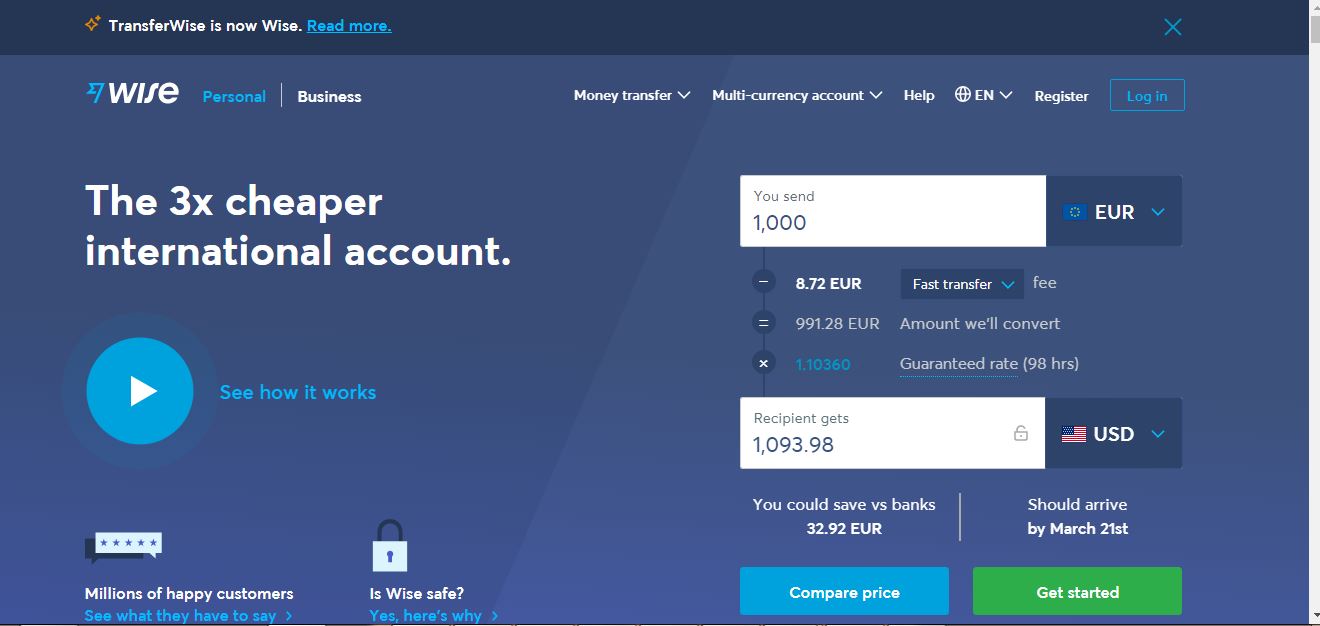
It took a little bit of effort to sign up and get verified, but setting up a foreign bank account is almost impossible these days so this is a welcome option. I signed up using an email account, but you can also sign up with your Facebook or Google accounts. I prefer to keep my business out of the monoliths’ reaches, so I prefer using email. I had to prove I was who I was, which took a couple of days, and had to verify a couple small deposits in my bank account, but once the account was set up it runs smoothly every time.
Receive payments like a local in 10 currencies.
Get your own UK account number, Euro IBAN, US routing number, and more.
Convert and hold 54 currencies.
Holding multiple currencies is completely free
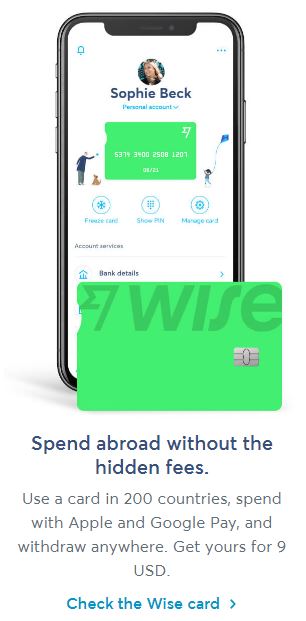
Wise is improving every day. They developed an app so you can access your account from anywhere using your smartphone. Get instant notifications for transactions. Freeze and unfreeze your card with a click. If you misplace it, you can use a virtual card instantly.
They have recently launched multi-currency accounts and an associated debit card that can be used in any currency. I first talked about their debit card during my ‘Contingency Planning and Crisis Management 101’ presentation at ATA58. They’ve improved on it since then. These new offerings could easily replace international banking for many of us. You can use the account as a normal bank account when you bill your clients. They pay you in their currency and you can withdraw it in your currency. Order a contactless debit card, and connect to Apple Pay or Google Pay right away. Or pay securely with your Wise digital card online. They are regulated in each country. For example, Wise US Inc. is registered with the Financial Crimes Enforcement Network (FinCEN) and renews its registration annually. It is licensed as a money transmitter in the states listed here, and supervised by regulatory authorities in each of those states.
By building this infrastructure, they have created a platform that more than a dozen banks use today. Wise bills itself as “a community of 10 million like-minded people and businesses managing money all over the world, saving billions and fighting as hard as ever against hidden fees.”
I have been a happy customer of Wise/TransferWise since 2017. What are you waiting for?
Contingency planning for translators interview January 23, 2018
Posted by Jill (@bonnjill) in Business practices, Random musings, Tech tips.add a comment
Tess Whitty, Swedish translator and marketing guru, interviewed me recently for her Marketing Tips for Translators podcast. I demonstrate why I am not an interpreter at around minute 17 when I completely blank on the word for accordion. I hope you enjoy it.
As Tess explains on her website:
Many clients depend upon us freelance translators, and it is important to have a plan for worst case scenarios. This year has also been a year of many natural disasters and unfortunately colleagues passing away too soon. I was very happy to see that today’s guest held a presentation on contingency and crisis planning during the last ATA conference. In this episode she is sharing all her best tips.
Important things covered in this episode:
-
What contingency planning and crisis management is
-
Questions to ask ourselves to plan for unforeseen events
-
Things to have in place if we would get sick or pass away
-
How to deal with a crisis
-
How to protect our business
Good deal on ABBYY FineReader12 November 28, 2016
Posted by Jill (@bonnjill) in Tech tips, Tools, Uncategorized.3 comments
ABBYY is offering its latest version of FineReader 12 for $99/65 EUR instead of $169.99/130 EUR. The offer is valid until December 4, 2016.
You can order it here:
https://www.abbyy.com/en-us/finereader/professional/
To buy in euros:
<https://store.abbyyeu.com/c/shop/ml=DE/curr=EUR/?cntr=DE&ID=FR12PEE&PROMO=CYBERWEEK2016MAIL&APX=BFCWMAIL16DE&clps=1&utm_source=NL_CYBERWEEK_NOV16_DE&utm_medium=email&utm_campaign=BLACKFRIDAY2016> (this is the link for German, but you can find it in your language by going to the ABBYY site, “Selecting your Region” in the upper-right corner and clicking on Individuals and then FineReader 12).
Change your Skype password November 10, 2016
Posted by Jill (@bonnjill) in Business practices, Tech tips.2 comments
I flew home from the ATA Conference on Monday and landed at 11:20 PM. Once I arrived at home I unpacked, put my suitcases away, showered and face-planted into bed. I woke up the next morning to 16 messages on Skype and a missed call in Skype and on my cell phone. I had been hacked, and all of my contacts were sent a link to a “baidu.com.” Luckily most of my contacts are savvy enough not to click on a link from me without any introductory text (hence the 16 messages asking if it was legit from me), but I had to go to https://web.skype.com to manually delete the message for every contact. Needless to say it was a pain.
My friend and colleague Roland Grefer was the one who had been trying to call me. In addition to being a great translator he is also a very competent IT support guy. He did a little research and discovered the following:
From what I’ve found, about a month ago, Microsoft started to merge their Live/Hotmail/Outlook/MSN/Xbox account systems into a new “Universality” account management system.
However, in the process, even if your Skype account was already linked to one of the above email accounts, they left Skype also accessible via the old Skype user name and password combination.
If the password for either account was one that was compromised in any of the recent hacks, the Bad Guys (TM) were then able to use the respective account to gain access to Skype and send spam etc. from the affected user’s Skype account.
But since M$ hadn’t made users aware of the parallel existence of the “new” and “old” Skype user name and password combos, they weren’t even aware of this “feature” as the culprit.
Once they logged into their account, and checked their “Activity” at
https://account.live.com/Activity
virtually all of them found successful logins from Asia or South America around the time the incident happened.
A sad state of affairs,
Roland
So change your Skype password or you too will be spamming your Skype contacts. And thanks to Roland for researching this!
Dropbox vs. Spideroak July 19, 2014
Posted by Jill (@bonnjill) in Business practices, Tech tips.3 comments
I share this with no commentary whatsoever, but it’s worth noting. I don’t ever keep client files on Dropbox or on a cloud-based server, but I know some people do. Whether you believe Snowden is full of crap or knows what he is talking about, it is still worth some consideration.
A remarkable moment from last night’s remarkable Snowden video from the Guardian.
In a discussion (around the 7:40 mark) of zero-knowledge systems whose operators can’t spy on you even if they want to, Snowden reminds us that Dropbox is an NSA surveillance target cited in the original Prism leaks, and that the company has since added Condoleeza Rice, “probably the most anti-privacy official we can imagine,” to its Board of Directors.
He contrasts Dropbox with its competitor, Spideroak, whose system is structured so that it can’t betray you, even if Condi Rice wanted it to.
Online licensing woes March 8, 2014
Posted by Jill (@bonnjill) in Tech tips, Tools.9 comments
Oh, woe is me. I have once again had a fatal error on my hard drive and lost a SDL Trados license. The first time my hard drive died and I couldn’t return the license, but Paul Filkin, SDL’s awesome online go-to guru, was able to free up another license for me.
This time I kept getting a Blue Screen of Death within a minute of booting up. My computer tech had the computer for two weeks and was unable to replicate the error in their office, so I was able to return the license. A month later during the Windows Upgrade the problem returned. I tried to return the license in Safe Mode with Networking (by trying to return the license and then deactivating it offline), but their system wanted nothing to do with that. I tweeted the SDL folks, but did not receive a response. I didn’t want to bother Paul again. I figure once is ok, but twice is pushing it.
At the moment I am reformatting the computer and hoping the problem does not happen again. In the meantime I have Studio 2011 and Trados 2009 on my laptop and will migrate on the desktop to MemoQ, which does not rely on online licensing and can process Studio files. I may or may not upgrade to Studio 2014. What are your opinions of the new version of Studio? Is it worth upgrading? Inquiring minds want to know.
Updating the Langenscheidt eWörterbuch software October 2, 2013
Posted by Jill (@bonnjill) in Tech tips, Tools.1 comment so far
I am once again reinstalling my programs on a fresh OS. I started getting a Blue Screen of Death every few minutes and the computer would reboot. After the PC was in the repair shop twice the techs finally think it may have gotten a corrupted driver when the latest round of patches were installed. The only solution if I wanted the computer back after the two weeks it was there the last time was a fresh reinstall of the operating system. Many e-dictionaries are no longer compatible with Windows 7, so here is a link on the Langenscheidt website to updates & patches: http://www.langenscheidt.de/Service/Support/Updates_und_Patches. Simply download the eWörterbücher software, uninstall any existing installation and install the software. After it has been installed open the program using the Start menu and place your CD-ROM into your optical drive (be sure to not choose the automatic installation). Select >>> Datei >>> Bücher hinzufügen and select your CD-ROM drive. The dictionary files will then be added to the software. This means you don’t have to throw out all of your e-dictionaries! I own quite a few Langenscheidt e-dictionaries and have only been able to install my Acolada Unilex dictionaries up to now.
I lost all my e-mails (but luckily no data – thank goodness for Carbonite!), but that’s a story for another day. Let’s just say I am now relying on a new e-mail client and IMAP, which allows me to leave e-mails on the server.
Success! Dictionaries and glossaries happily co-mingling in UniLex… November 9, 2012
Posted by Jill (@bonnjill) in Tech tips, Tools.3 comments

I was able to install Der Große Eichborn, my Collins Unabridged German Dictionary, and a pharmaceutical/medical glossary with 1006 entries that I have had for a while. All three of them are happily co-mingling. Now if you’ll excuse me, I need to upgrade/purchase a couple of dictionaries at the UniLex website because my versions of Ernst, Kucera and Brinkmann/Blaha were all produced before 2000 and are not compatible with Windows 7.


 Musings from an overworked translator