Announcing the Moravian Archives’ 2024 German Script Course August 2, 2023
Posted by Jill (@bonnjill) in Business practices, German culture, Tools.add a comment
Note from Jill: I took this in June 2023, and it was great. I arrived not even recognizing the text as being German and was sightreading it at the end of the two week course. I now have a skill that machine translation can’t touch, because most Germans can’t even read old German script! Register quickly. It will sell out fast. Space is limited to 15 students.
Register today for a two week intensive course studying, practicing and reading old German handwriting.
June 3, 2024 – June 14, 2024
The Moravian Archives is offering its well-known and successful German Script Course for the 55th year next Summer.
This is the only course of its kind in the country. The course is taught by Dr. Paul Peucker and Thomas McCullough, MA, MLIS, experts and experienced instructors in reading and writing German script.
Register Now
*registration is limited to 15 students*
Additional registrants will be placed on a waitlist
COURSE FEES & GRANT OPPORTUNITY
COURSE FEES
The fee for the script course is $1,300 and includes the following instructional materials:
- Color reproductions of German texts
- Handouts
- Writing pads
- Binder for storing instructional material
- Quills
- Textbook: Deciphering Handwriting in German Documents by Roger P. Minert (2nd ed., Woods Cross, Utah 2013)
- Coffee, tea, and snacks during breaks
Accommodations are not included in the cost of the course. Please see below or visit our website for more information.
GRANT AVAILABLE
Two slots are reserved for graduate students at a rate of 50% of the regular course fee. Grants are available to students who are not fully employed and who do not qualify for reimbursement of the course fee. Grant applicants must be registered for the course and have made the deposit payment.
Please visit our website for more information about this exciting opportunity.
COURSE INFORMATION
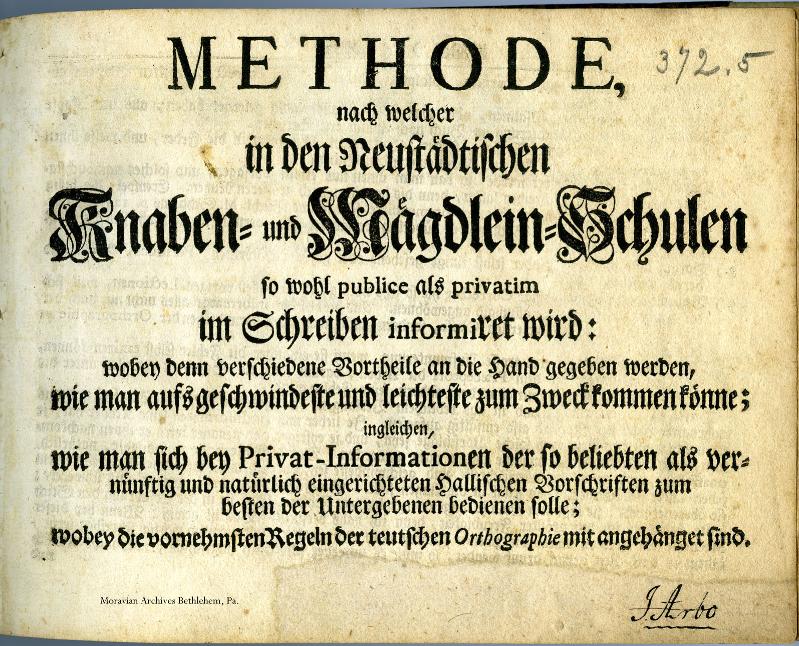
STUDY METHOD
Class begins each day at 9:00 am and runs until 12:30 pm, and is divided up into two sessions.
The morning sessions are devoted to writing the individual letters. During the late morning sessions texts are read within the group with everyone taking turns deciphering the texts.
There are no organized classes during the afternoons. This time is devoted to preparing for the next day’s lessons; most students choose to do their ‘homework’ in groups. Thus, the course combines classroom learning, group study and individual preparation. The preparation time in the afternoon will take about four hours. It is not recommended to plan other activities during the course.
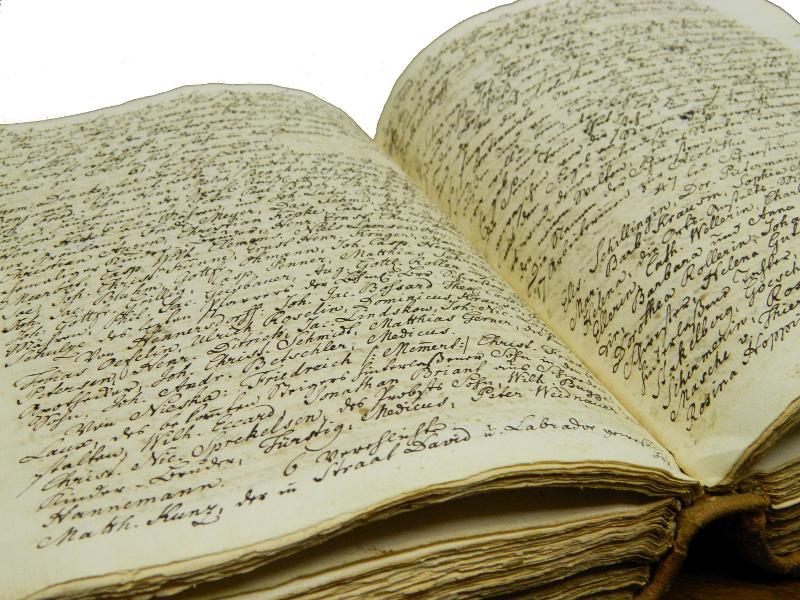
PREREQUISITES
In order to successfully follow the course, a good reading ability of modern German is needed; two years of college German or the equivalent has proven to be a minimum. Conversational German ability is not required and prior knowledge of German script is not necessary. All instruction is conducted in English, but we advise students to have access to a quality German-English dictionary.
HOUSING
DORMITORY HOUSING (SOUTH SIDE BETHLEHEM)
Housing is available at Lehigh University’s apartment-style dormitories (location to be announced later). Lehigh University is located on the south side of Bethlehem, about 1.7 miles away from the Moravian Archives. Script students may walk, drive/carpool, or take a ride share to come to class each day.
HOUSING AT THE HOTEL BETHLEHEM (NORTH SIDE BETHLEHEM)
If students are interested in staying in Historic Downtown Bethlehem, standard hotel rooms are available at the Hotel Bethlehem. The hotel is located 0.8 miles away from the archives.
Breakfast/meals and parking are available on premise for additional fees. Click here for more information about the Hotel Bethlehem.
—-
There are also various other hotels, Airbnbs, and guest houses in the Bethlehem area.
Please note that the registration for housing is separate from registration for the course.
TESTIMONIALS
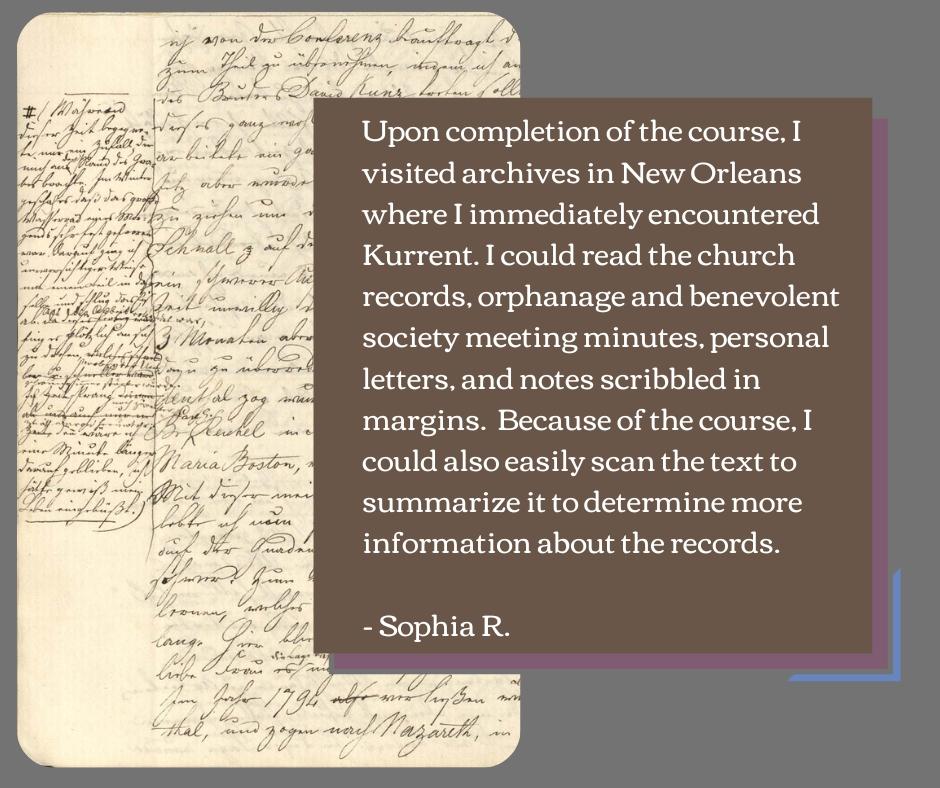
Our 2023 Script course graduates are using their new skills in unique ways! Check out how students have utilized what they learned during the course!


KNOW SOMEONE WHO MAY BE INTERESTED?
Feel free to share information about the 2024 German Script course with anyone you think would be interested!
Link to our website is available here.
Still, have questions? Learn more by visiting our website
Moravian Archives | 41 W. Locust St., Bethlehem, PA 18018
Constant Contact Data Notice Sent by info@moravianchurcharchives.org
Good deal on ABBYY FineReader12 November 28, 2016
Posted by Jill (@bonnjill) in Tech tips, Tools, Uncategorized.3 comments
ABBYY is offering its latest version of FineReader 12 for $99/65 EUR instead of $169.99/130 EUR. The offer is valid until December 4, 2016.
You can order it here:
https://www.abbyy.com/en-us/finereader/professional/
To buy in euros:
<https://store.abbyyeu.com/c/shop/ml=DE/curr=EUR/?cntr=DE&ID=FR12PEE&PROMO=CYBERWEEK2016MAIL&APX=BFCWMAIL16DE&clps=1&utm_source=NL_CYBERWEEK_NOV16_DE&utm_medium=email&utm_campaign=BLACKFRIDAY2016> (this is the link for German, but you can find it in your language by going to the ABBYY site, “Selecting your Region” in the upper-right corner and clicking on Individuals and then FineReader 12).
Advanced Skills and Training Day, November 2 August 26, 2016
Posted by Jill (@bonnjill) in ATA, Business practices, Tools.add a comment
There’s a new change to this year’s ATA conference. You’ve asked for more advanced and in-depth sessions, and ATA has heard you. This is your chance to prove to the ATA that they are welcome and needed. The pre-conference sessions are now a full day of three-hour courses taught by invited presenters. It’s now called the Advanced Skills & Training Day. Come join me and Allison Bryant from 8:30am-12:00pm on November 2 at “Mastering PDFs using OCR and Advanced Formatting Features in Word.” This hands-on session (bring your laptops!!) is limited to 30 participants, so register soon to ensure you will be a part of it. I’ve already had several people reach out to me about it and express their excitement. Through hands-on activities, you will learn how to stop wasting your time and start impressing your clients. By learning OCR technology, advanced formatting techniques in Word, and other tricks for easily manipulating PDFs and other non-editable documents, you too can become a formatting guru.
You can learn more about it here: http://www.atanet.org/conf/2016/astday/
The only caveat is that people *must* register for the conference in order to attend AST day. You cannot register for an AST session alone.
Interesting blog post on Machine Translation and what sites store December 9, 2014
Posted by Jill (@bonnjill) in Random musings, Tools, Translation.1 comment so far
My ATA not-so-newbie, Joe, wrote an interesting blog post in response to Jost’s article in the recent ATA Chronicle. He discusses an important issue involving machine translation and the data collection methods of various cloud and MT services and how this affects the translation industry. If you choose to use these services you should also be aware of what liberties you are giving them.
New translation tool on the market November 11, 2014
Posted by Jill (@bonnjill) in Fun stuff, Tools, Translation.4 comments
There’s a new translation tool on the market. Bad Translator was developed by Ackuna Translator to show just how funny things can get with Machine Translation. Enter any text in English then click “Translate!” to start. The program translates the text back and forth using FreeTranslation.com, TransPerfect, and Yandex, then displays the final English translation.
Happy translating!
Online licensing woes March 8, 2014
Posted by Jill (@bonnjill) in Tech tips, Tools.9 comments
Oh, woe is me. I have once again had a fatal error on my hard drive and lost a SDL Trados license. The first time my hard drive died and I couldn’t return the license, but Paul Filkin, SDL’s awesome online go-to guru, was able to free up another license for me.
This time I kept getting a Blue Screen of Death within a minute of booting up. My computer tech had the computer for two weeks and was unable to replicate the error in their office, so I was able to return the license. A month later during the Windows Upgrade the problem returned. I tried to return the license in Safe Mode with Networking (by trying to return the license and then deactivating it offline), but their system wanted nothing to do with that. I tweeted the SDL folks, but did not receive a response. I didn’t want to bother Paul again. I figure once is ok, but twice is pushing it.
At the moment I am reformatting the computer and hoping the problem does not happen again. In the meantime I have Studio 2011 and Trados 2009 on my laptop and will migrate on the desktop to MemoQ, which does not rely on online licensing and can process Studio files. I may or may not upgrade to Studio 2014. What are your opinions of the new version of Studio? Is it worth upgrading? Inquiring minds want to know.
Linguee to launch in other languages today December 4, 2013
Posted by Jill (@bonnjill) in Tools, Translation, Translation Sites.3 comments
One of my favorite tools when I translate is Linguee, an online search tool that searches millions of bilingual texts in English and German for words and expressions. It is also available for French and Spanish. It uses translated text (aka corpora) that are on the web and compares the original sentence and the translation.
When you search for a term or phrase, it shows the actual sentences in which the term is used on the web side-by-side, allowing you to get an idea of how the term has been translated on other sites and giving you some possible ideas. One caveat is that some of the examples are poorly translated, but it can be an excellent starting point for your thought process when trying to find a good solution for a particularly tricky phrase. Just think critically before using the term or phrase blindly and if you are unsure make sure you double-check it using other means.
They are branching out into other languages such as Chinese, Russian, Japanese, Italian and others as of today. As they explain, “In Germany, France and Spain, Linguee’s new bilingual dictionary concept is already a huge success story: over a million daily unique users have recently reached 2 billion searches.” (although probably a thousand hits a day are probably from me 😉 ).
By indexing translations available online, Linguee can provide 1000 times more entries than the largest traditional bilingual dictionaries. While traditional online dictionaries offer editorial content only – which sets natural limits on its size, even for the most elaborate ones – Linguee is able to search a vast amount of translations published by companies and various institutions on the internet, leveraging the know-how of millions of translators.
Using the site is really easy, but if you need a quick overview please watch their video.
SAPterm October 4, 2013
Posted by Jill (@bonnjill) in Tools, Translation.add a comment
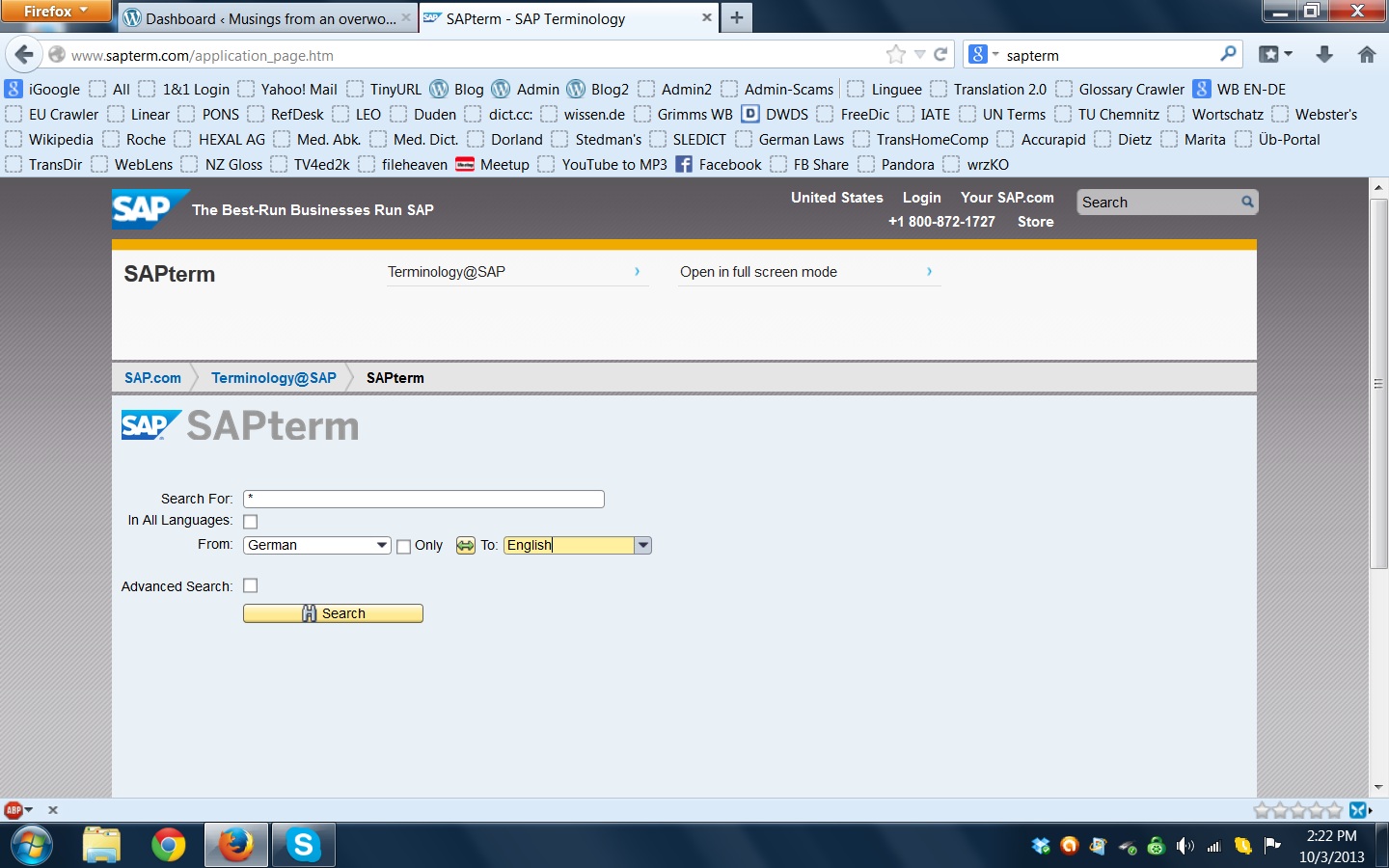
As most people who deal with SAP know, SAP is a language unto itself. SAP has often used its own terms for areas and items that already have industry standard naming conventions. In some cases, SAP even use existing terminology for different purposes. It’s enough to make you want to tear your hair out. SAP realizes this and offers a terminology database to make our lives easier. The SAP terminology database offers access to thousands of terminology entries in over forty languages.
Updating the Langenscheidt eWörterbuch software October 2, 2013
Posted by Jill (@bonnjill) in Tech tips, Tools.1 comment so far
I am once again reinstalling my programs on a fresh OS. I started getting a Blue Screen of Death every few minutes and the computer would reboot. After the PC was in the repair shop twice the techs finally think it may have gotten a corrupted driver when the latest round of patches were installed. The only solution if I wanted the computer back after the two weeks it was there the last time was a fresh reinstall of the operating system. Many e-dictionaries are no longer compatible with Windows 7, so here is a link on the Langenscheidt website to updates & patches: http://www.langenscheidt.de/Service/Support/Updates_und_Patches. Simply download the eWörterbücher software, uninstall any existing installation and install the software. After it has been installed open the program using the Start menu and place your CD-ROM into your optical drive (be sure to not choose the automatic installation). Select >>> Datei >>> Bücher hinzufügen and select your CD-ROM drive. The dictionary files will then be added to the software. This means you don’t have to throw out all of your e-dictionaries! I own quite a few Langenscheidt e-dictionaries and have only been able to install my Acolada Unilex dictionaries up to now.
I lost all my e-mails (but luckily no data – thank goodness for Carbonite!), but that’s a story for another day. Let’s just say I am now relying on a new e-mail client and IMAP, which allows me to leave e-mails on the server.
Success! Dictionaries and glossaries happily co-mingling in UniLex… November 9, 2012
Posted by Jill (@bonnjill) in Tech tips, Tools.3 comments

I was able to install Der Große Eichborn, my Collins Unabridged German Dictionary, and a pharmaceutical/medical glossary with 1006 entries that I have had for a while. All three of them are happily co-mingling. Now if you’ll excuse me, I need to upgrade/purchase a couple of dictionaries at the UniLex website because my versions of Ernst, Kucera and Brinkmann/Blaha were all produced before 2000 and are not compatible with Windows 7.


 Musings from an overworked translator